Background
Since the shift from large global brands to smaller local/regional brands is increasing, so is the amount of disparate label and packaging required. Think more targeted and shorter packaging production runs similar to what has happened in direct mail and marketing. Smaller local/regional brands are usually more likely to engage local resources for their design and packaging needs. Considering the current volatility in global trade, global brands competing against local smaller brands will undoubtedly also have to adjust their current relationships with their global packaging resources to align with the shifting supply chain demands at the local/regional level as well.
You can think of this very competitive connected supply chain landscape in four layers: material suppliers, label converters/printers, hardware OEMs, and software/platform players. In that chain, the big players in the label converting space include CCL Industries, Multi?Color Corporation (MCC), All4Labels Global Packaging Group, Resource Label Group, Belmark, and a few others. These converters often combine e?commerce shipping labels, warehouse labels, and branded product labels under the same supply relationship, especially for large omnichannel retailers and direct-to-consumer brands. However, there are many more small and mid-sized companies that are converting labels as components of a connected supply chain as well.
The connected label supply chain ties label design, purchasing, procurement, production and shipping systems. While each of these has its own supply and value chain, we are going to narrow the scope to the connected supply chain above. As is the case with print procurement in general, the big shift is toward centralized cloud-connected procurement that can be deployed across multiple plants and partners. That makes it easier to standardize labels globally, update formats quickly, and keep pace with more digital, traceable supply chains.
Online label market growth forecasts vary by scope, but digital and print-on-demand segments tied to e-commerce platforms show the strongest momentum at 5.5–10% CAGR through 2035. This outpaces traditional label printing (4.8–7.7% CAGR) due to rising demand for short-run custom orders.
New applications have been following a similar trajectory as web-to-print in that they are usually, but not always, a constrained design solution, or a catalog of customized product offerings. As a result, there is a growing increase in orders for short-run, on-demand labels and packaging to satisfy shifting business purchasing requirements and operate at the “speed of retail.”
Implementing E-commerce
If you are already a label and packaging converter, e-commerce web shops increasingly offer a great growth opportunity for many, both connected to converter partners or standalone. These are acting as transaction engines for a wide range of digital and flexo printed label and tag products.
If you want to participate in an e-commerce supply chain and are not a packaging engineer, how do you manage the front end of the process? How do you create a site, and gain customer engagement? There are many ways to approach this and many software solutions that support a variety of methods. For customers, most of the solutions’ processes start with selecting a layout pattern from a templates menu. If you have your own design that you want to use on a product, you can download the layout template and add your artwork or, alternatively, you can add any images by uploading them directly to your selected design in the application.
For interested converters, there are a few ways you can go; select a ready to go solution, become a partner to a branded e-commerce site, or build your own system. Following are some examples, however in each of these cases there are many options, so take your time determining what is best for you.
Infigo web-to-print software has support for web-to-pack, enabling your customers to customize and order their custom-printed labels and packaging online as well. While making the process easy for the user, they also provide a way for the host to dictate the level of design control the customers have. For simple jobs, the entire process can be completely automated, limiting the number of touchpoints that require human input. Infigo supports a toolkit to build a web-to-pack solution for labels, flexible packaging, folding carton, and more.
Design’N’Buy
Design’N’Buy offers a web-to-print and web-to-pack solution that can integrate with your website and automate the online experience. They currently have 50+ design templates included in Design’N’Buy’s web-to-pack packaging design editor making it easy to quickly create artwork for their packages that won’t require significant prepress editing time.
While each of those provide almost turn key solutions to provide e-commerce platforms for label and packaging converters, there is another level of solution in the form of “branded” e-commerce sites that feed a host of white label on-demand converters. In this case, you don’t necessarily need to set up a site, but instead develop a partnership and let the orders flow in.
Canva
Canva supports both label design and printing, with hundreds of adjustable templates that allow you to create custom labels for products, packaging, and various other applications.
Canva provides comprehensive label design features including, custom-sized label canvases for any product or packaging dimensions, and a drag-and-drop interface with fonts, shapes, textures, and images. It also has brand kit functionality to save your brand colors, logos, and typography. It has pre-sized templates for specific uses like candle jars, spice bottles, and product labels, and can export print-ready PDF files in CMYK and RGB formats.
Canva offers multiple printing/converting options, including ordering professionally printed custom labels and stickers directly through Canva’s printing service, as well as support for local printing and third party integration options through Canva Connect. Canva Connect is their platform API that enables developers to integrate Canva’s design capabilities directly into their own web applications and platforms. It consists of a suite of REST APIs powered by OAuth 2.0 authentication that allows seamless workflow integrations between external platforms and Canva’s design editor.
dappas
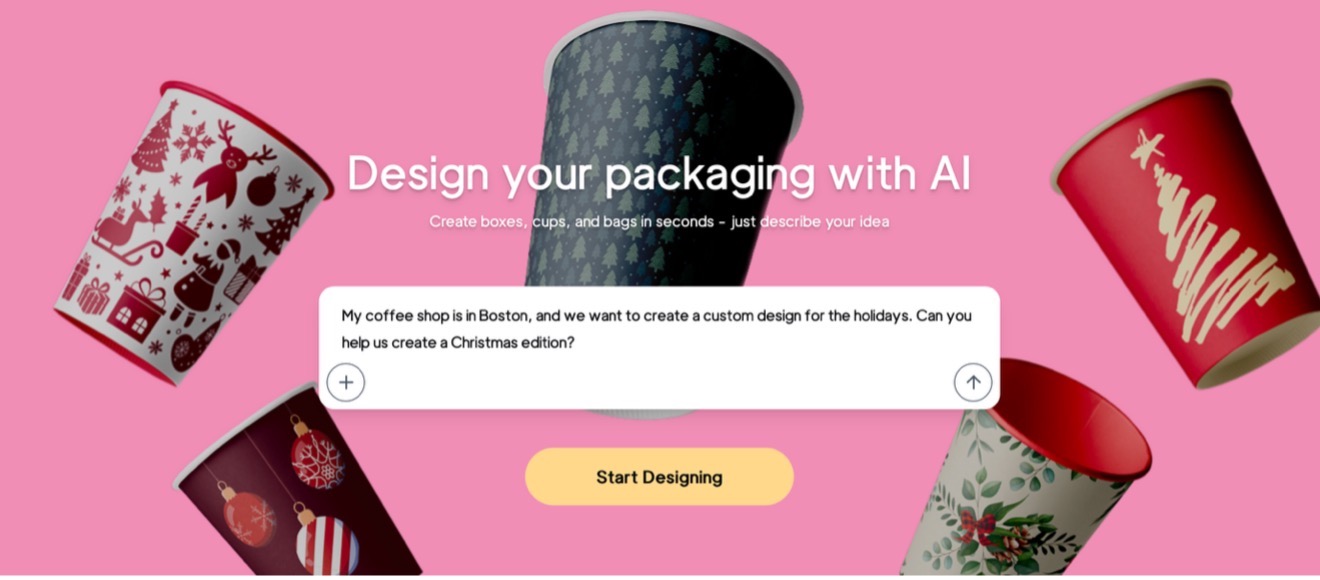
The ultimate goal of dappas is to easily facilitate the design and eliminate the entire prepress production process, so all the converters who are working with dappas are getting a stream of work which is ready to go to press and converting. No one really needs to open the file and check, for example, the pouch—that the logo is in the center, the edges are not getting cut off, etc. The design of the dappas platform was achieved using state-of-the-art technology and AI to create a platform that can change the way companies look for packaging. While dappas hosts the front-end process, similar to others, their production is funneled to converters that actually produce the product.
(See the profile of dappas in the Startup Chronicles section of this Quarterly Journal.)
Facilitating Engines
There are also facilitating solutions that act as component(s) of the supply chain, each of which offers differing functionality that can connect upstream and downstream and add value to the chain as well.
One of the more widely used is HP Site Flow, part of HP’s PrintOS ecosystem. It is delivered as a cloud service, so you access it via a browser/API rather than running it on your own servers. It is designed for PSPs handling large numbers of small jobs (web?to?print, B2C/B2B2C, e?commerce) and aims to provide “zero?touch” or “touchless” workflows from order to dispatch. Site Flow ingests orders from many sources: web?to?print storefronts, brand portals, MIS/ERP, custom APIs, and even ad hoc CSR?entered jobs. It automatically handles prepress: preflighting, fixing common file issues, imposing, adding barcodes, and preparing production?ready layouts with minimal operator intervention.
It batches and schedules work by grouping jobs intelligently for efficient printing/finishing, managing SLAs, and orchestrating production across devices and shifts. It drives barcode?based production, using barcodes on tickets/products so each step (print, cut, bind, pack) can be scanned and tracked through the factory. It manages shipping and fulfillment: creates and tracks shipments, can integrate with shipping platforms to access many carriers, and supports direct?to?consumer drop shipment. Finally, it provides dashboards and analytics for the user with end?to?end visibility of WIP, SLA status, throughput, and exceptions from the browser.
Site Flow is delivered on a tiered subscription basis, with pricing tied mainly to the number of jobs/items processed and shipped rather than a large upfront license
Designed to scale from hundreds to thousands of orders per day, allowing you to ramp volume without linear headcount increases.
Zakeke
For those who want a completely customizable site, Zakeke is a visual commerce platform. It’s an agnostic tool that can work with the decoration and procurement of any type of product that has an area where a user can load text and graphics. They integrate with e-commerce platforms for different types of integrations. Plugin integrations are available for Shopify, Bigcommerce, WooCommerce, Magento, Etsy, and Amazon.
Clients are the ones who decide how they’re using the platform. They have a default option that will provide a blank template, and within that print area, the client can do pretty much whatever they want, unless the merchant/site owner has set some rules, such as how many images can be uploaded, what types of things can be uploaded, if they have some specific printing method requirements, etc. Since some of the PSPs don’t print in all colors, you can set limitations on which or how many can be used or how many images can be uploaded, and there is even a background remover for uploaded images that can work as a default. Merchants can set up their templates by building them or procuring and uploading from template libraries. With templates, users would be able to see all of the elements, and they can modify the elements which use which merchants allow them.
Zakeke doesn’t have their own libraries since they work with more than 100 different industries, with products that are pretty much anything that that you can think of. What level and what type of customization is up to their clients. When it comes to the editing, users first select the product that they want to customize, then on that product, users can pull image from their device, use merchants supplied images, or they can select their images from the cloud. There is option of uploading from Facebook, and there is also the option of using an AI image generator, where the user will type the prompt, and the system generates the image that they want to use. During the process, everything is happening live. Using the mockup of the product with all of the elements that they're adding, they can reposition, resize type, images. It has layers, so they can choose which layer goes backward, which one goes forward.
The checkout remains on the e-commerce site. You can brand your site, and they have a plugin that can integrate with e-commerce platforms including Shopify, Bigcommerce, WooCommerce, Magento, Etsy, and Amazon, as well as supporting integrations using their API. Starting up is relatively easy, and takes 15–20 minutes. The merchant just needs to download the plugin for the e-commerce download app, and then they can start setting up products, including defining the print area that is going to be customizable and defining the printing method. You choose output formats, DPI for printing, and which formats they accept.
They have two pricing options. One option is for clients who are using Zakeke as a self-service. They have a two-week free trial, so clients can test the solution. They get an onboarding call and can reach out for support if needed, but they are the ones following the guidelines and setting up the products. In the other “enterprise” option, Zakeke provides fully customized annual connects. They’re never the same, as each client has different needs, and that approach is account-based, meaning that whoever chooses the enterprise option will have a dedicated account manager who is guiding them through the process. They can even include training sessions, onboarding sessions, multiple calls, and optionally they can include the setup service if desired.
In Summary
The connected supply chain has moved from moving things hand to hand or through email to more full featured automated systems. The good news is that, after you decide where you would like to start, there are so many options for you to select from. Additionally, like many converters have already found you can mix and match the approaches to keep the plant running 24/7.