Turbo Charge Your Variable Print Productivity
New Guide shows how to ‘do PDF/VT right’ to maximize productivity and minimize turnaround in the deadline- and profit-critical world of variable data print
Designers and users of variable data print can speed the production of VDP jobs thanks to a new independent guide to the “do’s and don’ts” of optimizing PDF files for the fastest, most efficient processing by digital front ends (DFEs).
‘Do PDF/VT Right™: How to make problem-free PDF files for variable data printing’ is a concise guide published today that provides objective information and advice to anyone with a stake in VDP: graphic designers, print buyers, production managers, press operators, owners of PSPs, and digital press DFE developers. The free guide is edited by Martin Bailey, chief technology officer for Global Graphics and the primary UK expert on the ISO committees that maintain and develop PDF and PDF/VT. A number of leading vendors in the VDP sector have sponsored the guide, including DirectSmile, Global Inkjet Systems, HP Indigo, HP Inkjet High-Speed Production Solutions and Screen. The content is completely vendor-independent which is why the guide is also endorsed by the PODi and Xplor industry associations.
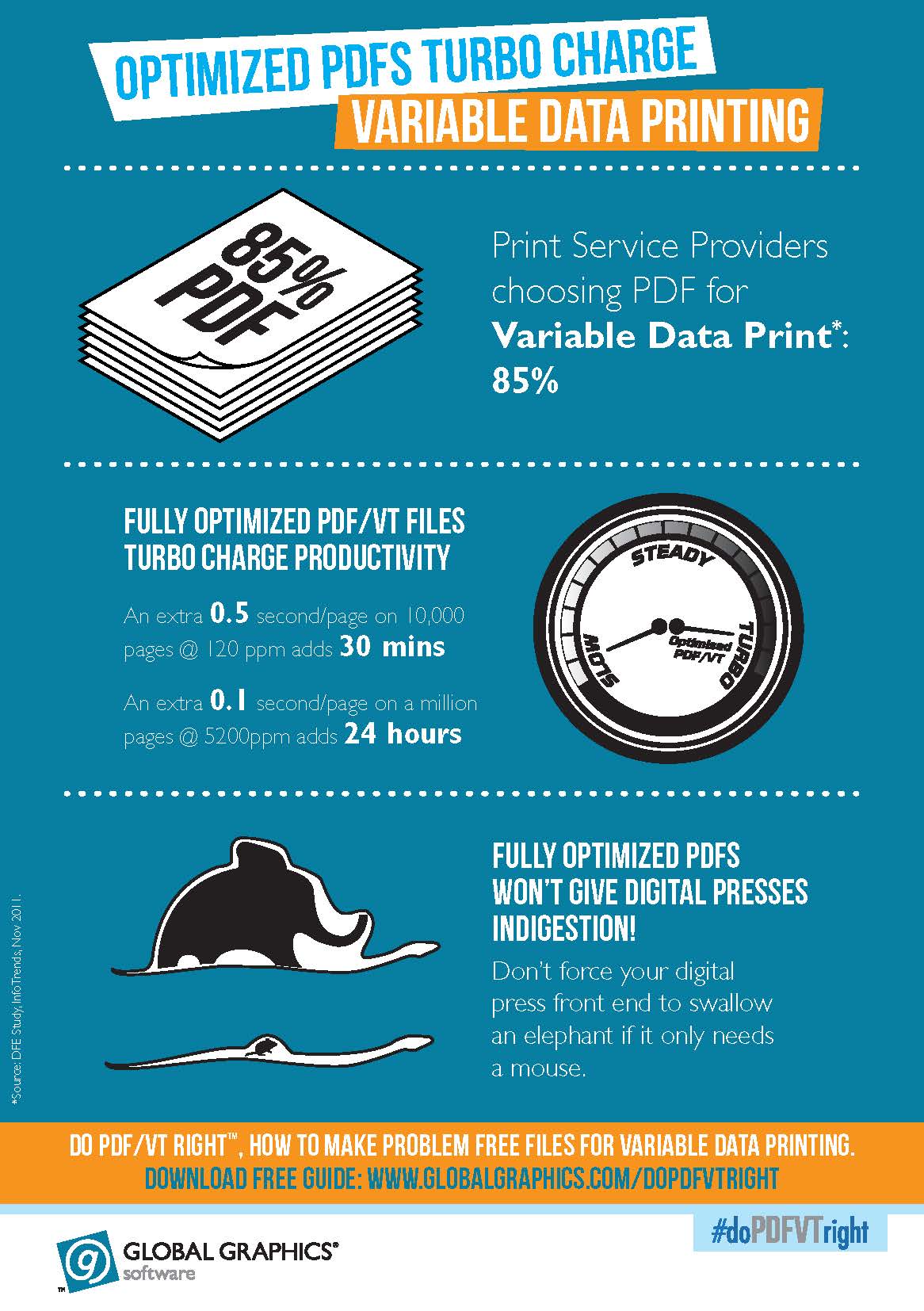
The impact of poorly-constructed PDF files on production schedules has become a significant issue for print service providers as VDP becomes more popular. With a range of people — from graphic designers to marketing campaign managers and data management experts — using a variety of software to create VDP jobs, a number of complex workflows have evolved. At the same time, VDP jobs themselves become richer and more complex, placing additional demands on the processing power of the DFE and slowing down the digital press: a delay of half a second on every page of a 10,000-page job running at 120ppm adds 30 minutes to the whole job, while for a job of a million pages at 5,200ppm an extra tenth of a second per page adds 24 hours to the total processing time.
 Martin Bailey says the main aim of the guide is “to promote one simple maxim: don’t ask the print workflow to do more work than it needs to if there’s no benefit for the designer, marketing department or recipient of the printed piece. There’s no intention of reducing the freedom of the designer to achieve the visual effects they want to — just to ensure their design can be encoded into a PDF file as efficiently as possible.”
The content of the guide is organized so that readers can easily find concise, practical and, importantly, actionable information relevant to their role in VDP projects. The first two sections, for example — “Why PDF for VDP?” and “Why optimization matters” — provide an overview of the key issues for less technical readers. The content then turns more technical for those with a more “hands-on” involvement, covering topics including optimizing images (for example, by matching the effective image resolution to the output resolution of the digital press), and optimizing transparency.
Monte Rose, R&D manager for media solutions at Quad Graphics, welcomes Do PDF/VT Right™ and describes the challenges VDP printers face far too often: “We have all seen files that will ‘RIP’, but not necessarily in a timely fashion. With VDP files we see it more frequently — files with too many fonts, too many layers, or too many images. The RIP has to sort the bits out within an ever-shrinking window of time to meet print engine speed. It takes time, costs money and introduces risk of messing up the job. This Guide is just what’s needed to stop these things happening. Anyone who reads it will come away with a good understanding of why problems arise, and how to prevent them.”
Tom Bouman, Strategy Manager, Workflow/Digital Front Ends, at HP High Speed Inkjet Web Press Solutions, says: “In a world transitioning from offset to digital printing we find that many users don’t have a strong background in data processing but are skilled in graphics arts. Using PDF or PDF/VT makes it is easier for them to adapt to VDP using formats and tools they’re familiar with rather than starting over with something completely different. Do PDF/VT Right™ provides excellent guidance to ease the transition while they explore new product differentiation.”
“As more creative agencies embrace variable colour our support teams regularly have to deal with issues arising from badly prepared variable data,” says Tim Taylor, VP Solutions & Technology, Screen Europe. “Colour VDP is only going to increase as inkjet presses get faster, so the timing is perfect for a simple guide to file preparation. By following a few basic rules you can transform the 'printability' of a job without any need to compromise on design integrity.”
Further industry support for the Guide:
“Improperly created PDFs can choke production workflows. Therefore it is crucial for production personnel to know how they can optimize production. This Guide will be a great tool for them,” Kaspar Roos, InfoTrends
“Unpredictable delays can wreak havoc with low margin/high volume jobs often found in business/transactional applications. In some cases extra staff must be maintained to diagnose and provide workarounds for problem jobs in the VDP arena,” Mike Rodriguez, independent color consultant and former director at RR Donnelley USA
“Now the industry has clearly embraced this new standard, PDF/VT enabled workflows will optimize and efficiently manage a wide variety of variable data printing jobs,” Harry Raaphorst, MD, DirectSmile
“We believe that PDF and PDF/VT are the emerging dominant file formats in many industrial inkjet applications. It is important that our OEM customers and their system end users are fully informed about the benefits and opportunities offered by PDF technology so we are pleased to support this initiative,” Nick Geddes, CEO, Global Inkjet Systems.
“I have experienced many challenges when receiving badly-produced PDFs for variable data documents. The difference can be from days of additional processing to not processing them at all! Any systems or standards that help standardize files that are supplied will be a huge benefit to the industry,” John Charnock, MD, Print Research International and former Group Technical Director, St Ives, UK.
“Global Graphics has produced an invaluable guide. Its many practical recommendations and technical explanations will be immensely useful,” Tony Hodgson, Director for PODi Europe.
To download a free copy of ‘Do PDF/VT Right™ How to make problem-free PDF files for variable data printing’ go to www.globalgraphics.com/doPDFVTright
Commentary by Cary Sherburne
It seems like we have been producing variable data printing forever, and on one hand, it seems strange that these jobs can still create so much havoc. But as Martin Bailey and others point out in the Global Graphics press release, variable data jobs continue to increase in complexity, with more data available, more color being used, and higher speed print engines that must be fed. Add to that more participants in the variable data supply chain, not all of whom understand what needs to be done to speed these jobs along and keep them profitable.
This guide, which is available in printed form at XPlor and the PODi App Forum, among other locales, can also be downloaded from the Global Graphics site. I had a chance to review it, and to speak with both Martin and Jill Taylor from Global Graphics. It’s a very nice piece of work that should be valuable across the board as the amount of variable data printing continues to grow.
“It’s been the people out in front with the arrows in their back that have led the charge on VDP for many years,” Bailey said, with his characteristic British dry humor. “We heard for many years that VDP was going to explode, and now that it has, we have moved from pure data center phone bills with simple graphics or high margin direct mail pieces to richer graphics, more color and reduced margins. The question for printers becomes, ‘How do I deal with bad jobs and still retain margins?’ That is one of the key questions we answer with this publication.”
In the development of this guide, Global Graphics consulted with a variety of resources, including the sponsoring partners, to make sure it had as much utility as possible. “There are other resources available,” Bailey added, “but we didn’t find much out there with advice on how to construct files. There is lots of advice on how to design direct mail, for example, to get better response rates, but in terms of how you actually write that stuff into a functional PDF, content was lacking.”
Bailey points out that composition vendors have taken care of many of the issues in their solutions, but adds, “Sometimes the composition engine is receiving premade PDF pages, and the composition vendors don’t really have any control over how designers created them. We wanted to provide a tool that not only helps the print service provider, but reaches all the way back to design to prevent problems at the beginning.”
Not only are Global Graphics and its partners making this valuable tool available, but they are leveraging social media to help gain broader awareness and get the conversation going, including a Twitter hashtag: #doPDFVTright. Participation in LinkedIn groups is also part of the strategy.
Once you have had a chance to review the piece, I am sure Global Graphics and its partners would appreciate your feedback