You may have heard the term Zero Trust. The term is associated with environments that require high degrees of security. We often think of bill and statement printers – bastions of inkjet production - but the same requirement exists for shops that handle personal health communication and financial information and many book, label, packaging, and commercial print projects as well. These include booklets sent by healthcare providers to help guide patients through illness and on to wellness, pharma labels, and communications sent by banks, mortgage providers, insurance companies, and other service companies that include personal financial information.
If you are wondering why such diverse print segments require security, think in terms of titles like the Harry Potter books or big retail campaigns related to new fashion drops. Consider the precision necessary for nutritional, ingredient, and pharmaceutical labels. Even without personal or corporate data, print may need to be produced in a secure environment based on the nature of the products, campaign launch dates, and other relevant criteria. In any week, there are print operations in progress that require extreme levels of security. You also want to ensure that your company servers remain safe and secure to produce work and invoice customers accordingly.
Zero Trust Environments
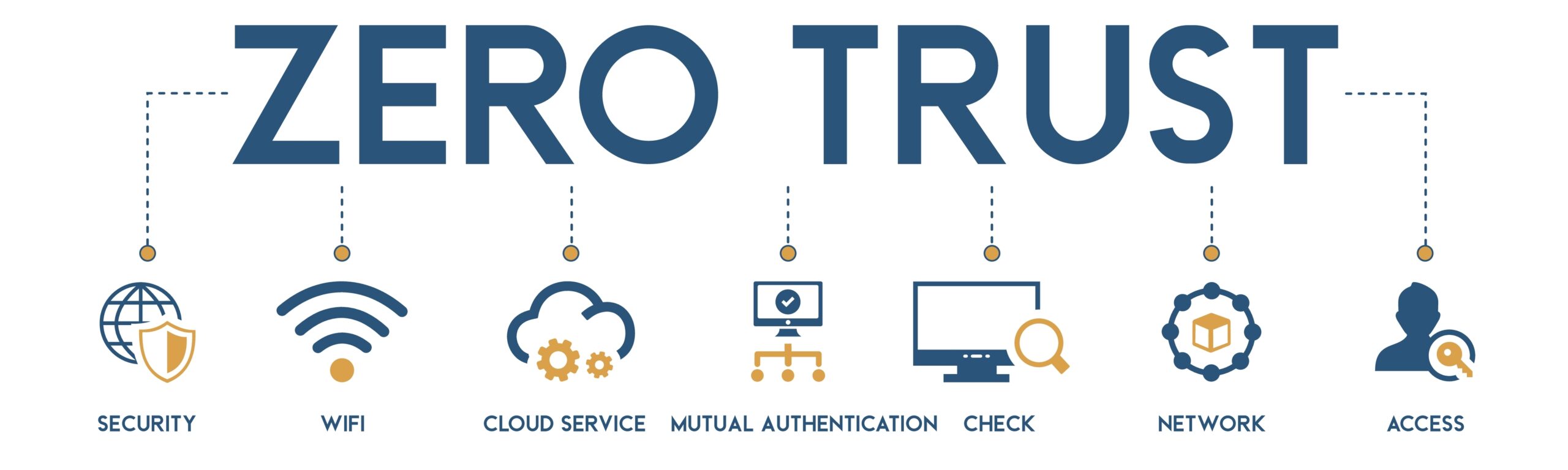
Industries use Zero Trust as an umbrella term covering the processes an organization puts in place to codify the processes for access to secure information. For print environments, that means implementing strategies to ensure that no user, device, program, API, or connection into the business is considered valid and secure by default, even if they are already logged in to the business or production network. The requirement results from growing sophistication in the hacker community, bringing new variations to invading businesses daily.
From phishing emails that spoof trusted vendors, partners, and clients to exploiting vulnerabilities, many cybersecurity professionals consider all business data at risk. Anyone who carries cybersecurity insurance can see it in their increasing premiums. To mitigate some risks, the best practice is to build a Zero Trust security model that assumes no user, process, or device can be trusted by default, no matter who they are or what they are. From the company president to the IT manager to the shipping clerk, access to systems, software suites, and processes requires continuous authentication. No one loves it, but the alternative is higher levels of risk. The need applies whether the business runs on dedicated, in-house servers, connections to managed network environments, in the cloud, or a combination.
Because so much digital production involves personal data and other security requirements, most inkjet print shops should consider building a Zero Trust environment. The good news is that the National Institute of Standards and Technology (NIST) can give you a head start. They provide the Zero Trust framework (NIST 800) as a guide to building your next generation of security.
Why Can’t You Trust, But Verify?
For most print shops, security has been an incremental journey. Twenty years ago, sharing user logins and leaving accounts logged in for days or weeks was common, even when no one was sitting at the computer. Every employee was deemed trustworthy. Every employee was deemed trustworthy. Files sent by clients were rarely quarantined and checked for viruses or malware. As time passed and more data breaches made the headlines, for shops handling secure work the policies changed from trust everyone to trust, but verify.
In that model, many secure shops moved to assigning every employee individual login credentials and requiring that they log in and out of the network each day. Concerns about how often passwords were changed were limited, though as security audits came at a regular cadence, the requirement to change passwords regularly evolved, followed by more intense requirements regarding how they were styled. As the level of security requirements changed, there was still a sense that employees were trustworthy. While that may be true, everyone makes mistakes. You can still find shops where sticky notes affixed to screens have all the needed passwords.
How Does a Zero Trust Environment Work?
To survive in the current cybersecurity environment, especially with the rise of cloud and hybrid data and file transmissions, shops adhering to Zero Trust frameworks hold everyone accountable for keeping passwords secure. There is no casual sharing of common login credentials or passwords, and there is a regular, required cadence to changing passwords. All users and devices are authenticated and authorized before accessing any printing resources using a combination of multi-factor authentication (MFA) and device posture checks.
In this type of secure printing environment, once a user or device has been authenticated and authorized, they are granted access to only the printing resources they require, and only for the duration of time that they need them. You will hear it called the principle of least privilege by security professionals. As an example, consider your inkjet press vendor who logs in remotely to your network to update firmware or apply patches. Their login credentials may be limited to specific network paths and include time controls. If they need additional access, they would work with the IT and security team, but even that access would be limited and monitored. This same type of login limitation would apply to contractors like a consultant providing color profiles or building JDF/JMF configurations.
Another feature of Zero Trust print environments is print job encryption and secure print release, which can help protect sensitive data from unauthorized access. Consider print shops producing brokerage and bank statements for high-net-worth clients. No one wants to see them on Entertainment Tonight, so job scheduling and device scheduling may be subject to stricter requirements, including which operators are assigned to print and finish the job.
Why Go to the Trouble?
Welcome to the 2020s. Cybersecurity is an issue for every size shop, no matter what they print. It is a critical issue for anyone printing sensitive content, which covers a large number of inkjet printing providers. Even if your cyber insurance provider does not require a Zero Trust environment, there are good business reasons to begin migrating.
Zero Trust print environments:
- Improved security: Reduce the risk of data breaches and other security incidents by making it more difficult for attackers to gain access to printing resources.
- Reduced costs: Help businesses reduce printing costs by reducing waste and improving efficiency.
- Increased compliance: Help businesses to comply with a variety of industry regulations, such as HIPAA and PCI DSS.
To get started, here are tips for implementing a Zero Trust print environment:
- Implement multi-factor authentication (MFA) to protect your printing environment from unauthorized access.
- Implement device posture checks to ensure that only trusted devices are able to access your printing resources.
- Use the principle of least privilege to only grant users and devices access to the printing resources that they need, and only for the duration of time that they need them.
- Encrypt print jobs to protect sensitive data from unauthorized access, even if the print job is intercepted.
- Use secure print release techniques to allow users control of print job release, even if they are printed from a remote location.
You have your briefing!