
In today’s print landscape, the pressroom is no longer just a place of ink and substrate, it is a data-rich, digitally orchestrated ecosystem. Business leaders in print must now think like a mix of technologists, strategists, and storytellers. The convergence of incoming files working with software and hardware is not just a convenience, it is the backbone of profitability, quality assurance, and customer satisfaction.
So, what belongs in this modern print leader’s toolkit? Let us unpack the essentials, from web to color management hardware, with a lens that is both rigorous and refreshingly real for the entire print process.
Web-to-Print Platforms
 Web-to-Print platforms are the digital front doors to your print operation streamlining order intake, automating job prep, and bridging the gap between customer intent and press-ready output. Where customers want convenience, web-to-print portals offer 24/7 ordering, instant quoting, and file uploads.
Depending on what your print needs are, companies offer pre-programmed solutions for a quick and easy launch.
Customizing your own solution may take more effort, but when integrated with custom rule-based workflow-automation tools, files can be validated in one complete workflow before they hit the MIS/CRM, rejecting or routing jobs based on specific production conditions.
Check Your Files
 An in-depth preflight process is the key to productivity, reducing human error, accelerating turnaround, and giving operators a repeatable process for predictable quality.
Web-to-print is only as smart as the workflow behind them. Before files ever hit the MIS/CRM stage, a good platform deeply interrogates incoming files for things like:
- Fonts: Missing, unembedded, corrupt, or outlined fonts
- Images: Low-resolution, incorrect color space, missing bleed
- Color: RGB to CMYK conversion, spot color handling, ink coverage limits
- Transparency & Overprint: Detects problematic layering and white objects set to overprint
- Hidden Content: Flags invisible text, hidden layers, and non-printing items
- Page Geometry: Checks document size, orientation, and content placement
- PDF Standards Compliance: Validates against PDF/X, PDF/A, and other print standards
- Object-Level Analysis: Inspects individual elements for resolution, color mode, and path integrity
Sample of industry standard compliant preflight tools, which can be integrated into hot-folder or server-based workflows:
- Enfocus PitStop Pro: Common industry used program as it is an easy-to-use standard Adobe Acrobat plugin for PDF preflight and editing offering over 130 distinct PDF inspection tools with customizable rules and direct fixing and editing capabilities validating against PDF/X and other print standards creating print-ready files.
- OneVision Preflight Software: Ideal for high-volume environments with tight deadlines and diverse file types, checking up to 130 predefined criteria rules, integrating with metadata and job tickets for intelligent workflow control while automatically correcting errors and generating print-ready files.
Preflight tools help ensure your files are press-ready, compliant with industry standards, and free of costly surprises. If you are working with mixed substrates, specialty inks, or high-speed inkjet workflows, pairing these with a smart RIP or workflow automation system can take your quality control to the next level.
Now, if you are serious about inkjet, you know it is not just about uploading a PDF and clicking “print.” Web-to-print has to speak fluent ICC, understand chem-stack constraints, and route jobs based on drying curves and finishing paths.
Although time consuming and cumbersome, writing your own incoming file portal and integrating workflow automation tools which check for in-depth file details such as ICC data, max tax limits compared to media, color space limits, and graphic requirements, can help with overall print compatibility. It is important to know whether a PDF will behave on coated stock, corrugated board, or metal to set customer expectations up front, protecting your color integrity, your uptime, and your margins. Whether it is aqueous, UV, industrial, production, or packaging-based systems, the platform should know what is printable, what is profitable, and what is going to cause a headache early in the process.
When done right, it is not just a storefront, it is a smart gatekeeper that protects your color integrity, your press uptime, and your sanity.
Dashboard Magic
 Integrating MIS with CRM (Customer Relationship Management) is the true magic of process optimization. Merging MIS and CRM historical job data, and real-time dashboards, are not just managing print, but forecasting demand, optimizing press utilization, and delivering client expectations in real time. It is the difference between a reactive and a proactive process. In a pressroom where every minute counts and every ink drop matters, MIS/CRM is your control tower with a bird’s eye view giving you a strategic edge over your entire process.
Most high-speed inkjet manufacturers offer a CRM solution based on their equipment tightly integrated into their workflow and finishing, which is a wonderful solution when integrating a single OEM solution. But, when you rely on an OEM’s integrated CRM solution in a multi-OEM environment, you are locking each device into its own silo. These platforms are typically designed to support their brand’s ecosystem, meaning they will not easily talk to other OEMs’ devices, dashboards, or service portals. That creates fragmented data streams and limited cross-device analytics. You lose the ability to see your entire shop’s performance in one unified view, which makes it harder to optimize workflows, compare device productivity, or manage service tickets across vendors.
Plus, each OEM’s CRM may have its own interface, terminology, and limitations forcing operators and managers to juggle multiple logins, dashboards, and support channels. In short, while OEM CRMs can be powerful within their own lane, they often fall short in mixed environments where interoperability, centralized data, and holistic visibility are key.
Vendor neutral platforms include:
- PrintPLANR CRM: Modular CRM with integrated MIS, inventory, and workflow tools, managing customer data, quotes, job tracking, and multi-location operations. It can be customized to support multiple OEMs and third-party systems.
- Solimar Systems Chemistry Platform + SPDE: Composed for upstream composition and downstream production, providing centralized job routing, transformation, and real-time visibility, handling AFP, IPDS, PCL, PostScript, PDF.
- Tharstern MIS + CRM: Offers API-based customization for hybrid workflows. Includes API based customization for hybrid workflows to talk, share data, trigger actions, send files to a RIP, or log service alerts from multiple OEMs.
Adding Print Management to Your Dashboard
Print management platforms are the backbone of a controlled, scalable print ecosystem especially when you are juggling multiple vendors, ink sets, and substrates. They bring order to chaos by centralizing job data, automating handoffs between RIPs and presses, and visualizing performance metrics in real time. Print management platforms that log press and fluid run data are specialized systems designed to capture, analyze, and report on the operational performance of printing equipment especially in high-volume or industrial environments. Print management platforms go beyond basic job tracking by integrating directly with presses and fluid delivery systems monitoring:
- Ink and coating consumption (e.g., UV, aqueous, solvent-based fluids)
- Press run parameters like speed, temperature, dwell time, and curing settings
- Substrate usage and waste tracking
- Maintenance cycles and error logs
- Real-time production metrics for quality assurance and process control
A couple of the leading platforms that offer this level of integration include:
- EFI Pace and PrintFlow 4D: These are part of EFI’s suite for print MIS and scheduling, with modules that track press performance, ink usage, and job costing.
- PrintSmith Vision: Tailored for estimating and production tracking, it includes job costing and fluid tracking features for varied-sized operations.
These platforms are especially valuable for complex production workflows where cost, ink, curing, substrate, and press settings need to be tracked across vendors and presses. They support the creation of control charts, spec frameworks, and dashboards that make fluid behavior and press performance visible and actionable.
Color Management is Science of Consistency
 Color management is not just software, but the brains of color, the control system that keeps your brand, your substrates, and your sanity aligned. Without it, you are chasing color across shifts, vendors, and press types, hoping it lands somewhere close to spec. With it, you are building a repeatable, data-driven workflow where Lab* values, delta-E tolerances, and ink behaviors are predictable. Color management is the foundation for scalable QA, vendor accountability, and visual consistency whether you are printing on plastics, foil, corrugated, or coated stock.
Independent profiling software for production, packaging, or industrial color management:
- ColorGate: Scalable RIP and color management software for ceramics, textiles, packaging, décor, and production printing. ICC and device link profile creation, with support for multicolor workflows and spectral data, color correction, spot color handling, and process automation while feeding QA dash boards.
- Color Logic: Modular color management software includes CoPrA offers multicolor ICC and device link profiles, ink-saving capabilities, and profile update tools. Integrates with ColorAnt for measurement optimization and ZePrA for color conversion.
- GMG ColorServer: Color management and RIP automating color conversions for RGB, CMYK, and spot colors to target output space, normalize incoming files as well as device link profiles applying transition color smoothing and black channel preservation for extended gamut utilizing ink optimizer.
Whether you are building ICC profiles, verifying G7 compliance, or tracking delta-E across substrates, choose software which assists press operators hit targets faster, reduce waste, and maintain brand color integrity across shifts and vendors.
Profile everything.
From your monitor to your proofing device to your press.
Log it.
Control charts are not optional; they are your audit trail.
Hardware: The Hands and Eyes of the Pressroom
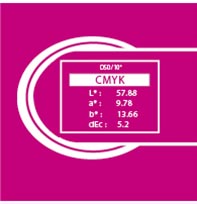 If software is the brain, spectrophotometers are the hands and eyes of the pressroom, quietly but critically measuring what the human eye cannot reliably catch. They scan color patches, read density and Lab* values, and detect subtle shifts in hue, saturation, and gloss that could derail a job.
In the press room, spectrophotometers are not just gadgets, they are color truth-tellers, spec enforcers, data-driven sidekicks. Most widely used are X-Rite eXact 3, Techkon SpectroDens, and Barbieri LFP qb. Configured as hand-held or automated with scanning tables, these precision instruments are built for the chaos of real-world substrates, gloss levels, and ink behaviors.
- X-Rite eXact 3: Widely used offset and packaging, applying 45°:0° geometry, integrating with G7 and ISO workflows.
- Techkon’s SpectroDens: Beloved for its speed and versatility, especially in digital and flexo environments.
- Barbieri LFP: Is the packaging and industrial whisperer, built to manage thick to thin, smooth to textured, reflective, and specialty media with sphere geometry and UV options.
Why are they important? Because your eyes lie. Fatigue, lighting, and color memory all mess with visual perception. Spectrophotometers cut through the noise, translating color into Lab* values, delta-E tolerances, and repeatable metrics. They are the backbone of any serious QA system, feeding dashboards, control charts, and vendor requirements with hard data.
Calibrate regularly.
Log your measurements.
Use control charts to visualize drift and
intervene before it becomes a client complaint.
The Complete and Efficient Tool Box
Technology is only as powerful as the mindset steering it. In today’s print landscape, leaders must evolve from reactive troubleshooters to proactive conductors by designing workflows that hum. Starting with training, it’s not just checking boxes, but empowering teams to use tools with fluency and confidence, and auditing with precision by measuring and tracking color data while developing process maps. Let us not forget the importance of forecasting—historical trends become tools for smarter inventory, tighter turnaround, and fewer fire drills.
In the end, the best software and hardware are not just tools, they are extensions of your strategy. They help you see, decide, and deliver. They turn data into decisions, and decisions into delight.
Build your toolkit with intention. Choose platforms that align with your values with efficiency, quality, and creativity.
And remember…the smartest pressroom is not the one with the most tech. It is the one where every tool has a purpose, every process can be analyzed, and every leader has a vision.